 Space on Hold
Approving or declining a request
You set this for each space. Automatic is the default: an open time is confirmed once the deposit and any required files are in.
If you choose "I'll approve each request," new bookings wait for you, and nothing is charged until you approve. The request stays on your calendar. Open the booking in your desk to find Approve and Decline. They're beside the booking on a computer and at the top on a phone.
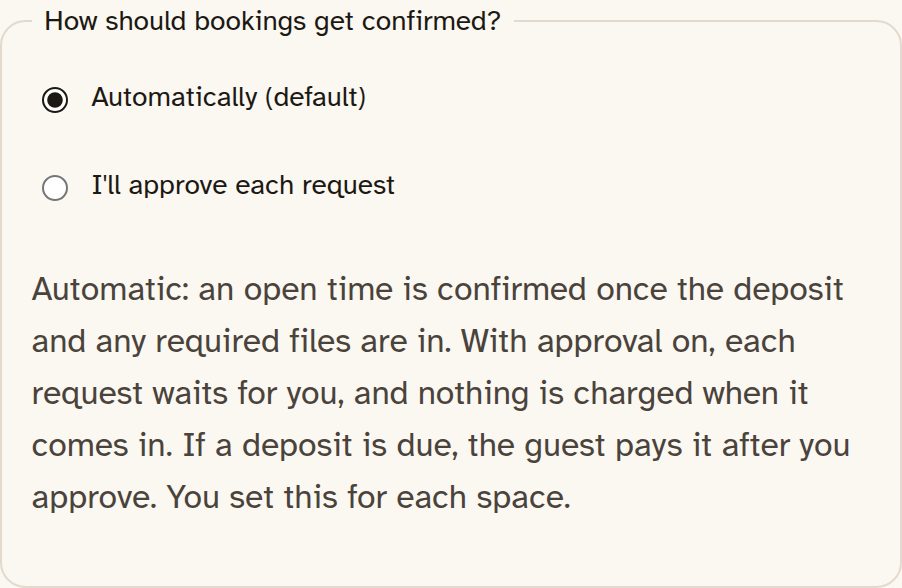
If a deposit is due, approving asks the guest to pay it, and the card step holds the time for 30 minutes. The booking is confirmed once the deposit and anything else you asked for are in. If nothing is due, approving confirms the booking the same way as one with no deposit.
When you approve, the guest gets an email with the subject "Your request for {space} was approved," with the space's name in place of {space}. If a deposit is still due, it asks them to pay it on their link and says the time is confirmed once the deposit and anything else you asked for are in. If nothing is due, it asks them to finish anything still needed on that link.
When you decline, the email says the space declined the request, they weren't charged, and the time is open again.
While they wait, their page says the request is in and waiting for approval, and that they haven't been charged.
For a request with no deposit, you get an email with the subject "Request for {space}." It says this is a request, not a booking yet, and that nothing has been charged, and it links to the booking in your desk. A request that includes a deposit waits on your calendar and doesn't send you this email.
If you don't answer, the time stays held for as long as that space is set to hold requests. Learn more in How long a request holds.
One space $59/mo · A few spaces $99/mo · The property $149/mo. 0% commission. 15% off with yearly billing. 30-day free trial, no card needed.
Founder offer: 35% off monthly billing for as long as you stay subscribed. 50 spots, claimed at your first monthly payment, open until Dec 15, 2026, or until all 50 are taken. Not available on yearly billing. See offer details
The page
Send people a page they can book on.
Start the 30-day trial, put in your hours and your rates, and send them the page. Use the address you picked, or a domain you already own.